isolved Release 12.11 - 6/25/26
T
thread isolved v12.11
Release Date: June 26, 2026 ยท Service Bureau Edition
โฆ Release Highlights
Key updates at a glance for v12.11
โ
Update
Life Insurance Benefit Type Added
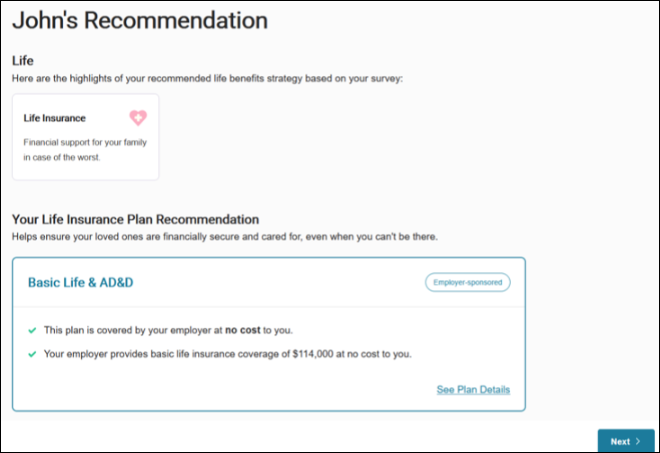
Benefits Guidance now supports Life Insurance plan types with personalized guidance.
โ
Update
Perfect Payroll Enhancements
New Payroll Status Indicator, Totals Widget, and enhanced Insights grid.
โ
Notable Feature
Perfect Payroll Assist
New add-on with Insights & Analysis panel and Payroll Anomaly Detection.
โ
Update
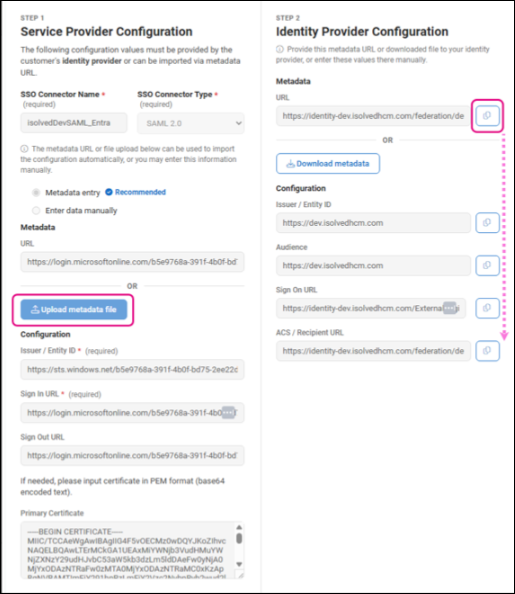
SAML Connector UI Enhancements
Cleaner two-step layout, metadata file upload, and one-click URL copy.
โน๏ธ Heads Up
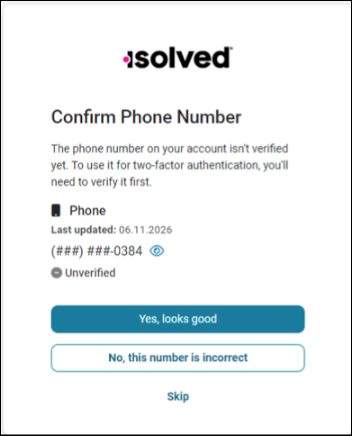
Unverified Phone Number Prompt
Users with unverified mobile numbers prompted after login. Available June 25th.
โ
Notable Feature
NXG Pro Clocks Now Available
Next-gen time clock hardware with faster network stack and enhanced surge protection.
๐
Click any topic below to expand and explore the details
๐ฅ โถBenefits/HR Life Insurance, Deferred Comp, Benefit Connectors, Enrollment Setup 4 items
Benefits Guidance Update: Life Insurance Benefit Type Added
โ
Update
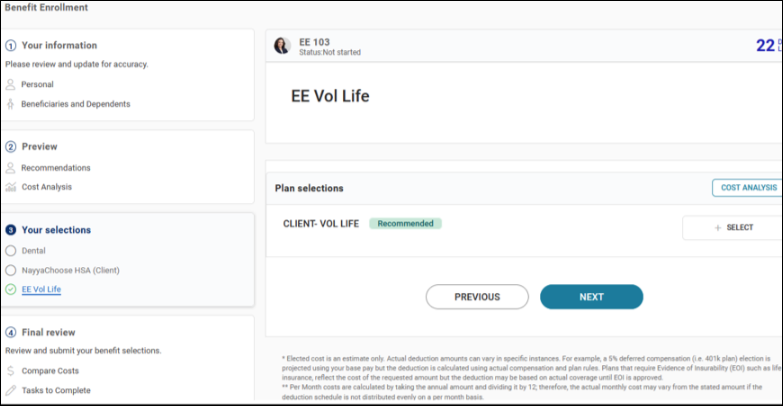
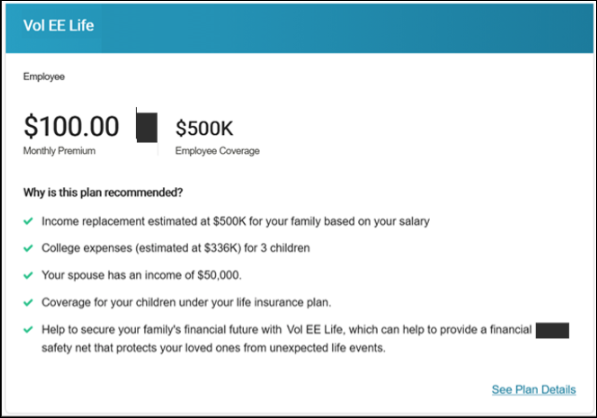
Benefits Guidance is expanding to include Life Insurance plan types. With this update, Benefits Guidance will be able to provide employees with personalized guidance on life insurance benefit plans. A new Benefit Category assignment has been added (Basic Life, Basic Life and AD&D, Universal Life, Whole Life, Term Life, and AD&D).

Life Insurance plan recommendation view

EE Vol Life benefit enrollment

Vol EE Life plan detail with recommendation reasoning
Deferred Comp Change Log Updates
Update
The Client Change Log now provides enhanced visibility into deferred compensation configuration updates. Users can view all additions, edits, and deletions made across the EE Contribution Plan Matches, Eligible Wage Plan Matches, and Match Eligibility tabs at the client level, making it easier to track changes and maintain accurate client records.

Client Change Log showing deferred comp updates
Benefit Connectors Column Chooser Functionality
Update
A new Column Chooser is now available on both the Client and System Benefit Plan list screens for organizations using the Benefit Plans experience. This feature allows users to customize which columns are displayed, including Plan Description, Integration Code, Current Plan Year dates, ACA details, auto-enroll indicators, and more. Column selections are not saved and will return to default settings after exiting.

System Benefit Plans with Column Chooser icon

Client Benefit Plans with Column Chooser icon
Benefit Enrollment Setup Screen Update
Update
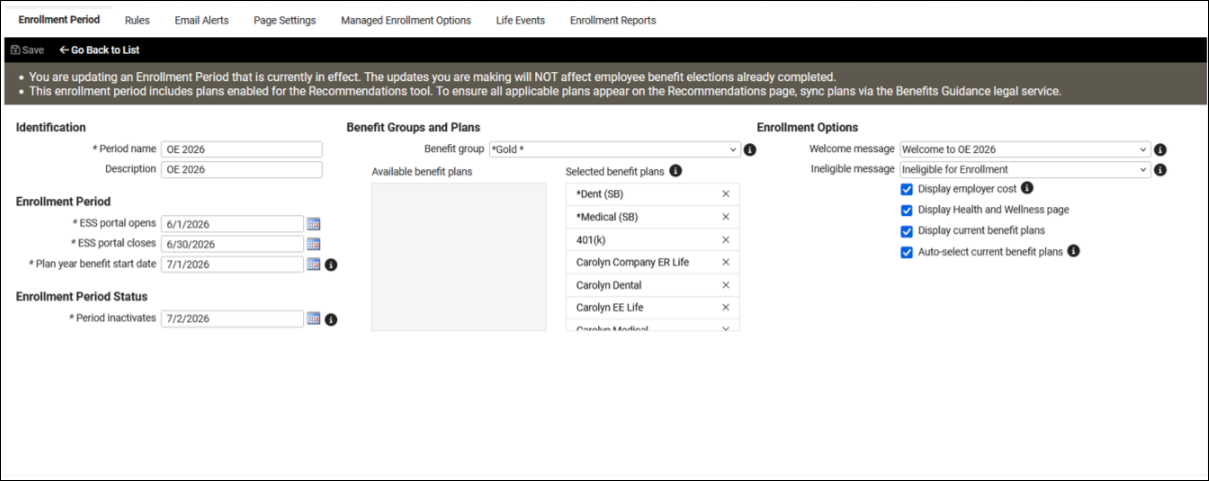
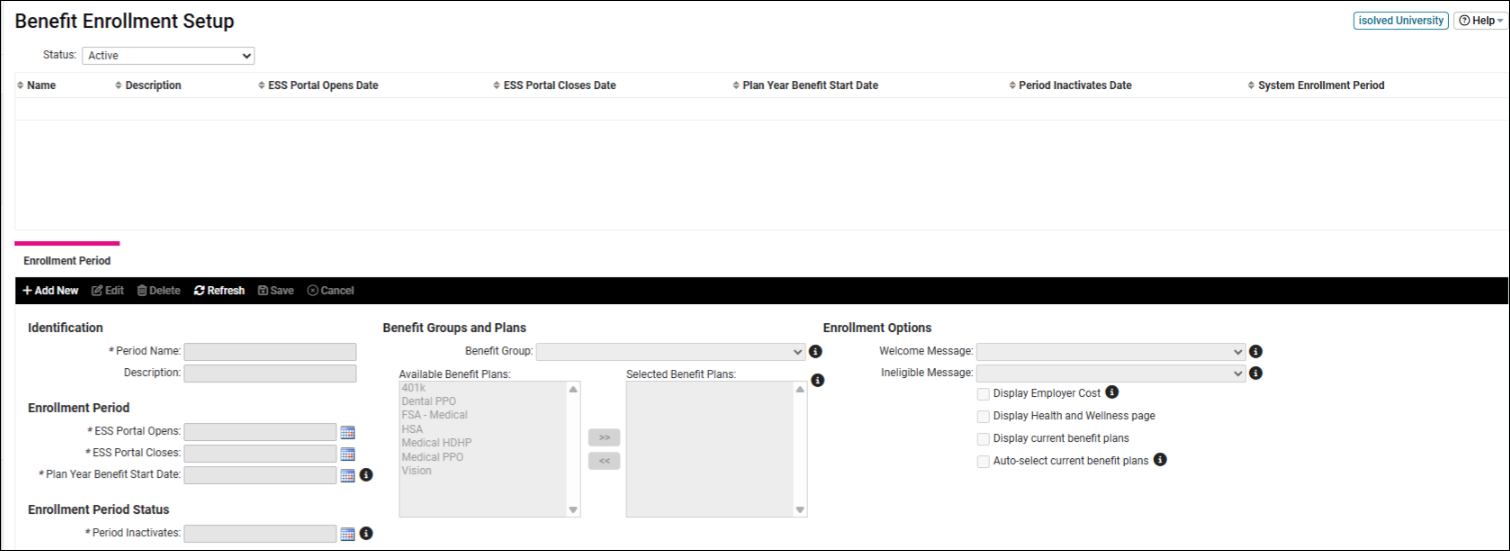
The Benefit Enrollment Setup screen has been refreshed with a more streamlined and user-friendly experience. The updated layout features a grid view of enrollment periods with search, filter, grouping, Column Chooser, and Excel export. Selecting an enrollment period opens detailed information including associated plans, eligibility rules, email alerts, and life events. The previously reported issue with copying Life Event email templates (issue 11945) has also been resolved.

New View โ streamlined enrollment period setup

Old View โ classic enrollment setup screen
๐ฐ โถPayroll Perfect Payroll enhancements and new Payroll Assist add-on โ Notable ยท 2 items
Perfect Payroll Enhancements
โ
Update
Perfect Payroll has been enhanced with new tools designed to give you better visibility and help catch issues earlier in the payroll process:
- Payroll Status Indicator โ a clear, step-by-step view of payroll progress showing completed actions, current status, and upcoming steps
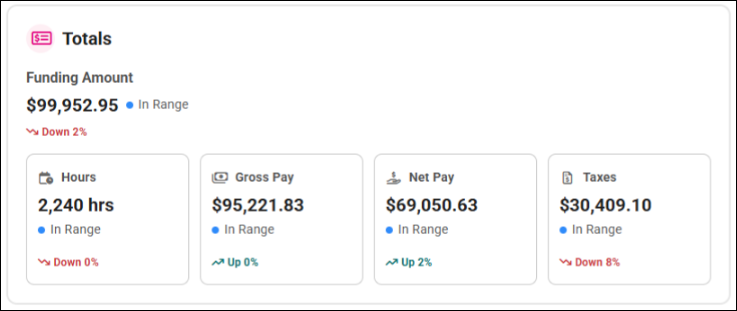
- Totals Widget โ displays key metrics including Gross Pay, Hours, Taxes, and Net Pay alongside a rolling average of the last 10 payrolls
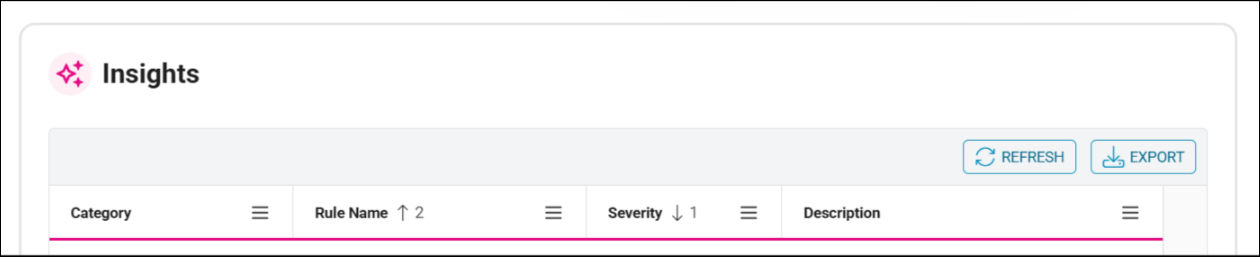
- Insights grid (formerly Pay Data Insights) โ brings all payroll exceptions into a single, filterable view sortable by severity or category

Payroll Status Indicator

Totals Widget with payroll metrics

Insights grid with filterable exceptions
Perfect Payroll Assist
โ
Notable Feature
Introducing Perfect Payroll Assist, a new add-on service that brings advanced insights and anomaly detection directly into your payroll process. This intelligence layer reviews payroll data in real time, helping you identify potential issues early and prioritize what needs attention most.
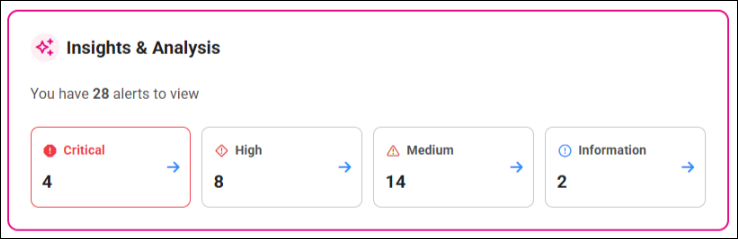
- Insights & Analysis panel โ evaluates each payroll run against a set of rules and organizes findings by severity
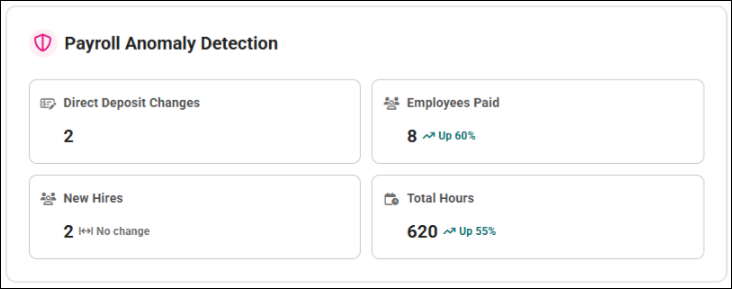
- Payroll Anomaly Detection โ monitors key indicators such as direct deposit changes, employee counts, new hires, and total hours to flag unusual patterns before payroll is finalized

Insights & Analysis panel with severity breakdown

Payroll Anomaly Detection dashboard
๐ โถIdentity SAML Connector enhancements and unverified phone number prompt 2 items
Feature and UI Enhancements to the SAML Connectors Setup Pages
Update
The Client and Admin SAML Connector setup screens have been updated with a cleaner, two-step layout that guides admins through configuration with less guesswork:
- Simplified Metadata Configuration โ admins can now upload an IdP metadata file directly, eliminating manual URL entry
- One-Click URL Copy โ all critical URLs within the SAML connector setup are now copyable with a single click

Updated two-step SAML Connector setup layout
Unverified Phone Number Prompt โ Available June 25th
โน๏ธ Heads Up
Users with an unverified mobile number will now see a prompt after logging in, giving them the option to verify their number or dismiss and complete it later. This optional reminder helps keep contact information up to date, supporting account security and making account recovery easier if needed.

Unverified phone number prompt on login
๐ฅ๏ธ โถHardware Next-generation NXG Pro time clocks now available โ Notable ยท 1 item
NXG Pro Clocks Are Now Available!
โ
Notable Feature
The next generation of isolved time clock hardware โ built for performance, reliability, and the future. New models: NXG G2 Pro and NXG G7 Pro.
- Faster Network Stack โ quicker punch times, faster boot, enhanced employee sync & multi-company support
- PoE Circuit Fixes โ more reliable performance on network-powered installations
- Enhanced Surge Protection โ stronger protection against power surges with less downtime and hardware damage
- Future-First Development โ all new features and enhancements developed primarily for Pro models
Note: Existing NXG G2+ and G7 clocks remain supported and will continue to receive maintenance updates โ upgrades are optional. Order now via PartnerHub! The updated Hardware Agreement includes new models and a direct-to-client shipping option.
๐ โถTax Vertex Compensation ID updates for Illinois SUI 1 item
Vertex Comp ID Updates โ Illinois SUI Exemption
Update
Illinois has updated how employer 401(k) contributions are treated for SUI tax purposes, making them exempt effective July 1, 2026. Two compensation codes have been updated and renamed to remove Illinois from their SUI designation and reflect the new tax treatment.
No action is required, but clients should be aware of the updated naming for reporting and configuration purposes.
โน๏ธ Action for Partners: Verify titles that may include IL in system Memo Calculations and identify any clients using these Compensation IDs. The Service Bureau report Client Pay Item Listing can be used to identify impacted clients.
ยฉ 2026 isolved. All Rights Reserved. ยท Prepared by thread